
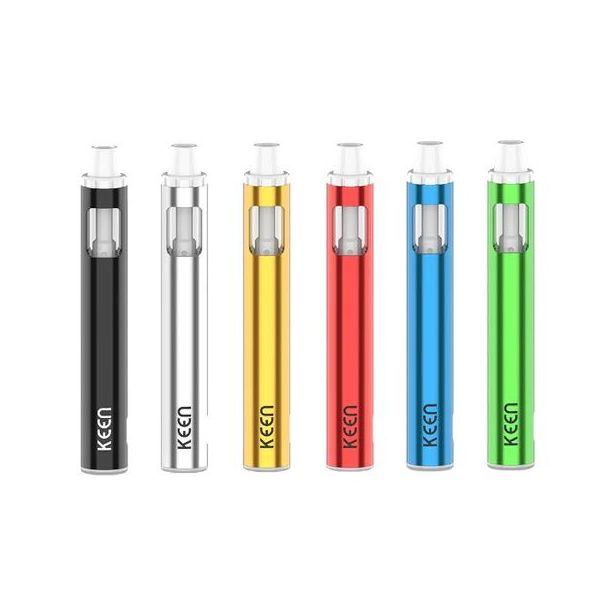
Yocan Keen Ceramic Vaporizer
Instructions on How to Use Device
1) To turn on the device, press the power button five times quickly; it will blink five times with a white light to confirm it's powered on.
2) Check the LED color to see the current voltage level: white for 3.0V, blue for 3.7V, and green for 4.2V.
3) To change the voltage setting, press the power button three times quickly.
4) To pre-heat the oils, press the power button twice quickly when the device is on; it will stay solid to indicate pre-heating, which lasts about 10 seconds at 1.8V.
5) To fill the vaporizer, unscrew the top cap and add your desired liquid.
Yocan Keen Ceramic Vaporizer – Elevate Your Vaping Experience
Introducing the Yocan Keen Ceramic Vaporizer, a cutting-edge addition to Yocan's latest collection designed for avid vapers seeking convenience and performance. This compact and stylish vaporizer is powered by a robust 400mAh battery, ensuring you enjoy multiple vaping sessions without interruption.
With its sleek design, the Yocan Keen is perfectly portable, allowing you to take your vaping experience on the go with ease. The device features a 10-second pre-heat function, enabling you to achieve optimal vaporization quickly. Customize your sessions with a voltage range of 3.0V to 4.2V, catering to your personal preferences for a tailored vaping experience. Plus, the 15-second safety cut-off provides peace of mind during use.
Experience the perfect blend of portability, efficiency, and safety with the Yocan Keen Ceramic Vaporizer – your ideal companion for flavorful vaping sessions anywhere, anytime.
| Brand | Yocan |
|---|---|
| Manufacturer | Yocan |